
Clean a Tesla screen without scratches or smears
In the Model Y almost everything runs through a single screen, and after a week that screen looks like the glass door of a bakery. Reach for the glass cleaner now and you make the very mistake Tesla itself warns against. The manufacturer allows far less on the touchscreen than most people assume. Here's what is allowed, what you need for it and where around the dash a cleaner still has its place.
To clean a Tesla screen you work dry: switch on Screen Clean Mode, lift the dust off without rubbing and wipe with a soft, lint-free cloth and no pressure. Tesla rules out cleaning products, wet wipes and statically charged cloths for the touchscreen.
Tesla allows only a cloth on the touchscreen
For the Model Y touchscreen, Tesla specifies a soft, lint-free screen cloth and explicitly rules out cleaning products, wet wipes and alcohol-based hand sanitiser, front and rear alike. That's how the German car magazine AUTO BILD sums it up in a guide from April 2026, and it's what the screen itself tells you as soon as you start the cleaning mode. The gist of the notice there: no cleaning products, no damp cloths, no statically charged dry fabrics. That is stricter than many other brands.
Other manufacturers draw the line elsewhere, which explains why so many contradictory tips do the rounds online. In the Polestar 2 manual, Polestar allows a microfibre cloth that you dampen slightly if needed. Ram even permits a 50:50 mix of isopropyl alcohol and water for its touchscreen, and Apple allows wipes with 70 per cent isopropyl alcohol for its devices. What's approved for one car can cost the next one its surface. What counts is always the manual for your own vehicle.
The reason for the caution sits in the top layer of the screen. Many car displays carry an anti-reflective coating or an anti-fingerprint coating, and you can't tell from the outside which one is fitted. AUTO BILD quotes a specialist display repair firm in Hamburg that describes the typical damage like this: a mark won't shift, so out come the glass cleaner and some hard rubbing, and the coating gets literally scrubbed off. Once it has worn away, no amount of cleaning brings it back.
In the Model Y that applies to two screens. Up front, according to the German car magazine auto motor und sport, sits a 15.4-inch display, and for the rear seats there is an 8-inch one for climate and entertainment, which according to the German motoring club ADAC is missing only on the base version. The same rule applies to both. So if you want to clean a Tesla screen, you don't need a product, you need the right cloth and two unhurried minutes.
Screen Clean Mode locks the screen while you wipe
Screen Clean Mode dims the touchscreen and stops it accepting input, so you don't accidentally drag the map or change the climate settings while you wipe. You'll find it in the menu under Controls and then Display. The screen goes almost black and shows only a short notice and a button to exit. You have to press and hold that button for a few seconds; a quick tap won't do.
The mode has a second benefit that matters more day to day than the lock. On a dark surface you see dust, fingerprints and wipe marks that a bright map view washes out. Hold your phone torch flat against the edge of the screen as well and the raking light picks out every print. Only with that view do you know whether you're dealing with just dust or a greasy film that needs more than one pass.
Blazing sun on the screen is rarely a problem in November; the weather is more likely to be. Today it's raining at just under three degrees, so it's a good day for everything that has been left undone in the interior. The paint gets its turn if Saturday's dry window holds. Parked in the dry with the door open, you have enough light and can shake the cloth out outside rather than over the seat.
A word on screen protectors, because many people start thinking about one after the first scratch. According to AUTO BILD, Tesla advises against protectors on the touchscreen and names electrostatic discharge as a risk. So the surface stays bare and needs treating with care to match. That's no drawback as long as you stick to the order that follows.

Dust has to come off before the cloth wipes
Dust on the screen contains fine grains of sand, and quartz, the main component of sand, sits at Mohs hardness 7, so it is harder than ordinary glass and certainly harder than plastic. Wipe straight across a dusty display with pressure and you push those grains over the surface like a fine abrasive. That is exactly the most common mistake we know from customer questions: the dust gets rubbed off dry, and weeks later fine arcs show up against the light.
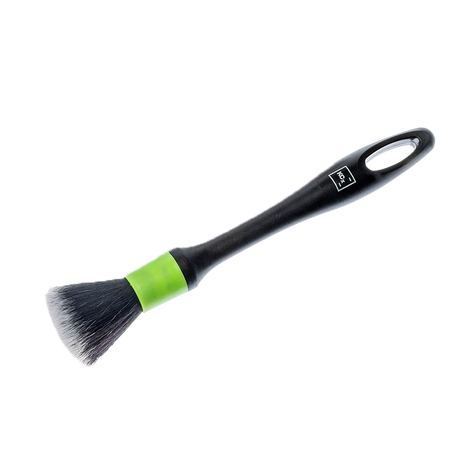
So lift the loose dust off first, without rubbing. Around the frame and the base of the screen a clean, dry brush with very soft bristles helps. According to the product description, the Koch-Chemie Interior Brush "Green" Interior Autodetailing Brush soft 1 piece is meant for fine work on displays and piano black trim. Guide it from top to bottom with no pressure and hold a vacuum nozzle a hand's width alongside, without letting it touch the surface.
Then comes the cloth, and at first it just rests on the surface. Fold it twice to give you eight clean sides, lay it flat at the top left corner and draw it to the right in one straight pass. No circles, no pressing down. After each pass you switch to a fresh side. That way you carry the dust off instead of spreading it around, and the colour of the cloth shows you how much was really sitting on the screen.
Kitchen roll, paper towels and your jumper sleeve are not up to the job. AUTO BILD explicitly names kitchen roll as a source of scratches, and the Polestar manual bans rough cloths and paper tissues. The cloth you've just wiped the dashboard with doesn't belong on the screen either. It carries dressing and dirt, and both end up as a smear on the screen.
A freshly washed cloth picks up a static charge
Tesla explicitly warns against dry, statically charged cloths and gives a freshly washed microfibre cloth as an example in the manual, because the charge can harm the touchscreen. At first that sounds like a contradiction: damp is banned, and dry apparently is too. What's meant isn't every dry cloth, though, but one that has just come out of the tumble dryer and crackles when you pull it apart.
Day to day that means: you wash the screen cloth, let it air-dry and then set it aside for a few hours before it goes into the car. According to AUTO BILD, ZEISS recommends no more than 40 degrees and no fabric softener for lens cloths, because its residue leaves smears. The same goes here. Keep the cloth in a sealed bag in the glovebox so it doesn't collect dust, and use it for nothing else.
When you pick the cloth, the construction counts for more than the weight: short pile, tightly woven, edgeless. The THE COLLECTION "Allround / Coating 300" short-pile edgeless microfibre cloth (300 GSM) 1 piece / 40 x 40cm / Yellow has no stitched edge that could drag across the surface, and the light colour shows straight away when a side is used up. A little denser is the THE COLLECTION "Allround 365" short-pile edgeless microfibre cloth (365 GSM), which the manufacturer explicitly lists for piano black trim and displays.
To be honest, a cloth from the Microfiber cloths collection is not a screen cloth in the optician's sense. But it does what Tesla asks for, namely being soft and lint-free, as long as it is new or freshly washed and lives in the car for this one job only. Give a new cloth a good shake outside before its first use so loose fibres from production don't land on the screen.

Stubborn marks need patience instead of pressure
A greasy fingerprint rarely disappears on a dry cloth with the first pull; it gets thinner with every fresh side of the cloth, and after three to four passes it is usually gone. That takes longer than a squirt of cleaner, but it spares the coating that will keep the prints at bay later on. More pressure is no shortcut. Polestar specifies only gentle pressure for its display, and AUTO BILD lists hard rubbing among the most common mistakes.
If a dull patch or a haze is still there after several passes, it may not be dirt at all. A damaged coating looks like a mark that won't come off, and every further attempt with a fingernail or a stronger product makes the patch bigger. Stop at that point and have a Tesla Service Center look at the surface instead of working on it any further.
Plenty of Tesla drivers put a screen cleaner on the cloth anyway, and in videos it looks harmless. We deliberately describe the manufacturer's line here, because only Tesla knows which coating is on your screen. If you depart from it, that's your own call. For cars whose manual calls for a screen care product, a specialist is the right choice: the Koch-Chemie × THE FINISHER THE FINISHER "DisplayExpert" Screen Cleaner 100 ml is sprayed into the cloth and never directly onto the screen.
How this works with other brands, and why glass cleaner has no business on the screen there either, is covered in detail in our article Cleaning car displays streak-free without wrecking the coating. For the Model Y the simple rule stands: to clean a Tesla screen you need a cloth, patience and fresh sides.
Around the screen cleaner can go into the cloth
The no-cleaning-products rule applies to the touchscreen, not to the steering wheel, centre console and door cards, and there you do need a cleaner, because skin oils won't come off plastic dry. The order is what matters. Dr. Wack lists five steps in its product information and puts the displays first, then the inside of the windows, the outside of the windows, the remaining surfaces and finally the door sills. That way you don't kick up any more dust once the screen is done.
For the surfaces next to it we use a pH-neutral cleaner that comes undiluted from the bottle. The Koch-Chemie Allround Surface Cleaner "Asc" All-Purpose Cleaner 500 ml goes into a second cloth with two to three sprays, and you do that outside the car or with your back to the screen. The overspray is the real risk: it settles in the screen's frame and on the surface you've just cleaned dry.
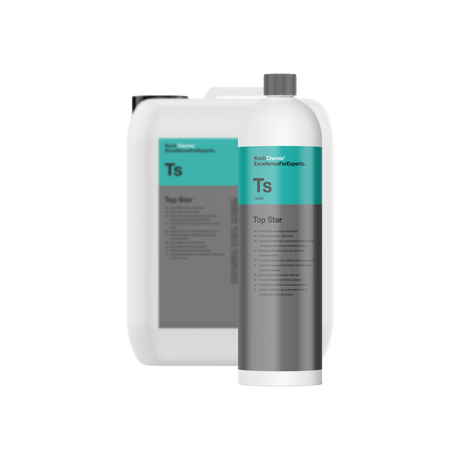
Against the dust that's back on the screen after three days, it helps to look after the surfaces above it. According to the manufacturer, Koch-Chemie Top Star "Ts" Interior Plastic Care 1000 ml / 1 litre leaves a satin-matt film with an antistatic effect. It goes on with a sponge, never sprayed, and it doesn't belong on the screen itself. How long the effect lasts depends on ventilation and use; the manufacturer gives no fixed figure. More on that in the article Dashboard care for your car: antistatic against dust that keeps coming back.
In the end three things stay in the car: one cloth just for the screen, a second for everything else and a soft brush. You'll find cleaners for the remaining surfaces in the Interior cleaner collection. The screen itself needs none of them, and that's the good news in all this.

Detailing1-Insight: The Model Y screen rarely gets scratched by the wrong product; it gets scratched by the one cloth that does duty for everything. Give the display its own cloth in its own colour and let it rest for a day after washing before it goes back in the glovebox. Wipe for two minutes in cleaning mode once a week and you never get a film that takes hold. Then the question of a stronger product doesn't even come up.
No time for the whole post? Get it summarized:
Add Detailing1 as a preferred source on Google